Compare
Best rota apps for UK teams in 2026
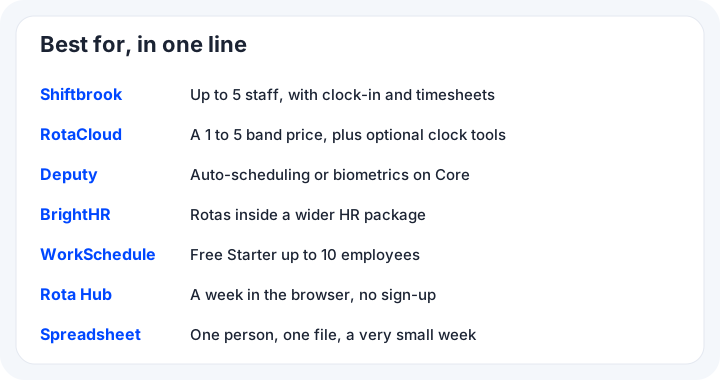
Shiftbrook is our product. This page sets it beside RotaCloud, Deputy, BrightHR, WorkSchedule, Rota Hub, and a spreadsheet or staff rota template. It does not rank them, and it does not use reviews.
Competitor figures were read on each product’s own pricing or features page. Checked 23 Oct 2026. If a number was not on that page, it is not here.
How this page was checked
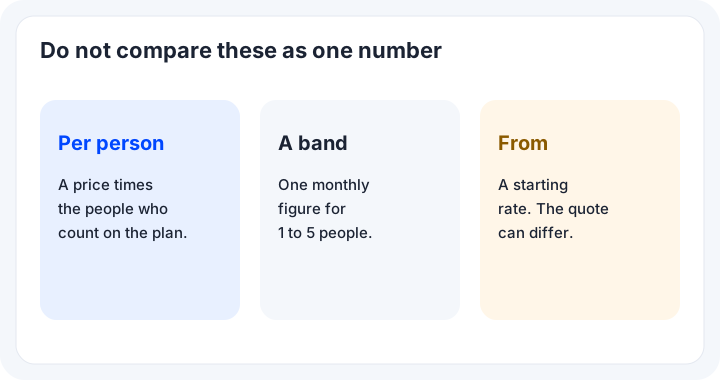
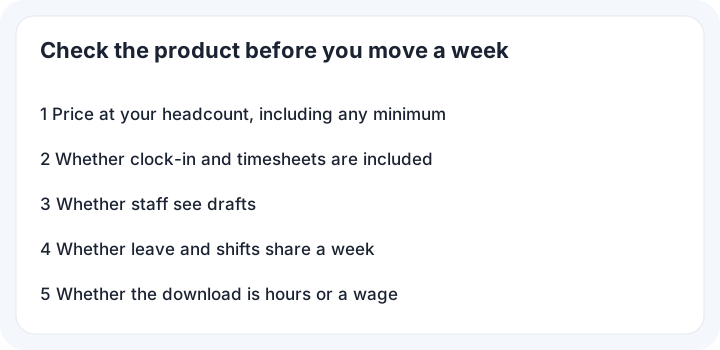
Each note names the page it came from. Checked 23 Oct 2026. Prices move, so read the linked page before you budget a year. A per-person price, a band price and a from-price are different deals. This page does not multiply a from-price and call the result your quote.
What was left out
Logos and screenshots of other products are not used. If a feature was not on the pricing or features page that was read, this page does not say the product lacks it. Silence is not a finding.
What you are choosing
A rota app is a place to write who is working, where and when, and to show that week to the people on it. Rota software can stop at the grid, or it can also record attendance and the agreed time. The extra parts are what change the price.
Scheduling is the job of putting shifts on days. Scheduling the gaps comes before scheduling the names. Good scheduling still needs a person, and fair scheduling leaves that choice with them. Weekly scheduling is the view a manager opens first. A rota builder that fills the week for you is a different product from one that only records the week you typed.
Scheduling before you publish
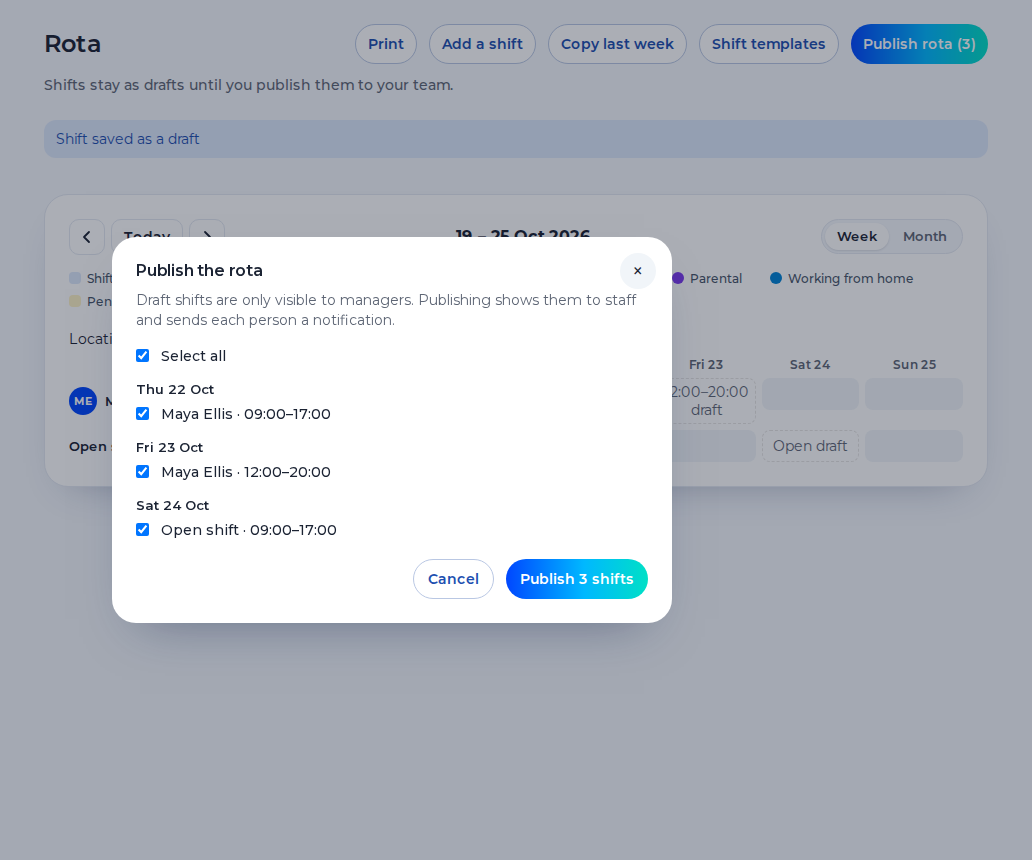
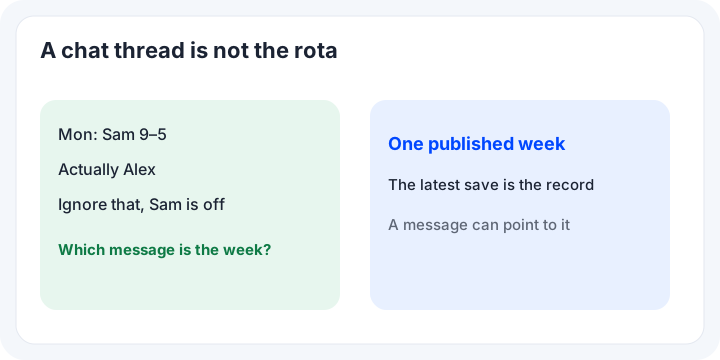
Scheduling a rota starts with the shifts you already know you need. Write those shifts, then put names on them. Publishing is the moment staff can rely on the rota. If a file and a message can both change the rota, the team will follow whichever they saw last.
Attendance and the record
The day that was planned has to become the day that was worked. A timesheet should be something a manager can approve. Free rota software still has a ceiling. Paid rota software is what you buy when that ceiling is the wrong size. The rota software you pick should show any minimum as well as the unit price. A rota app that hides the minimum is rota software to read twice.
Annual leave beside the shifts
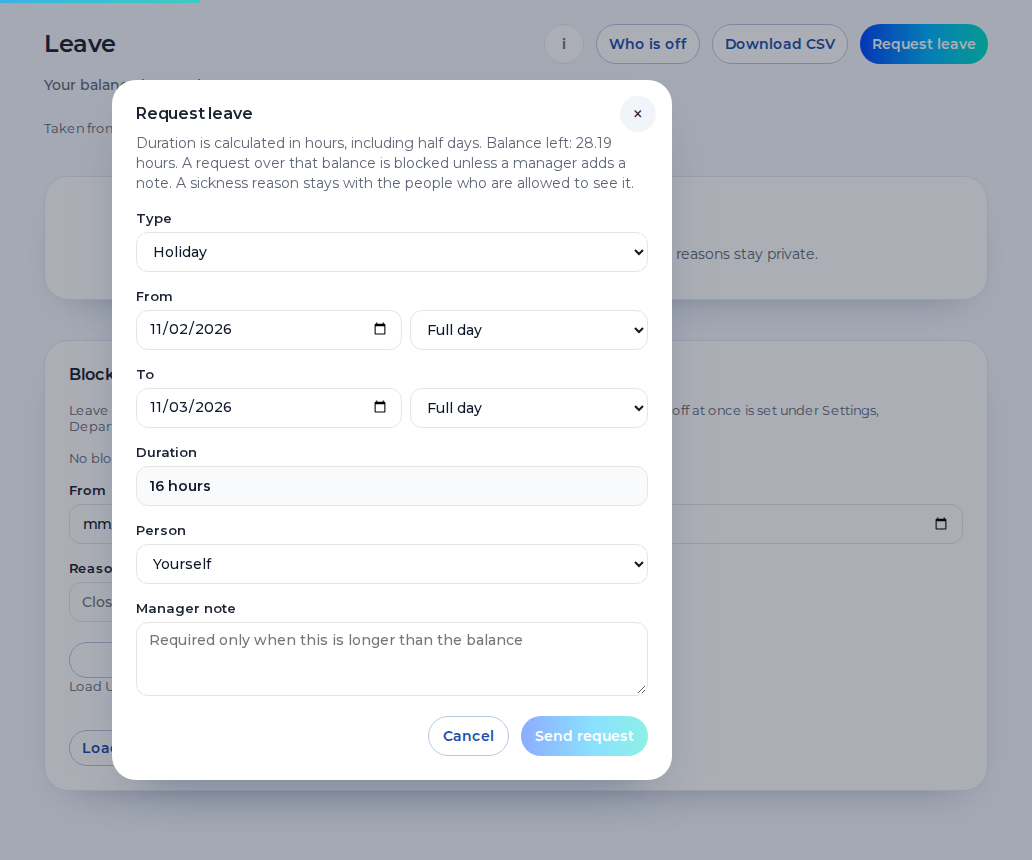
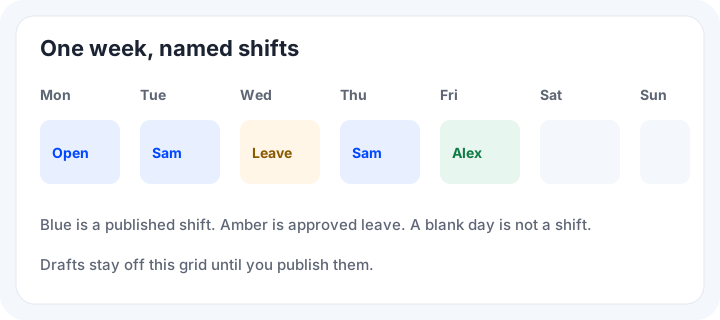
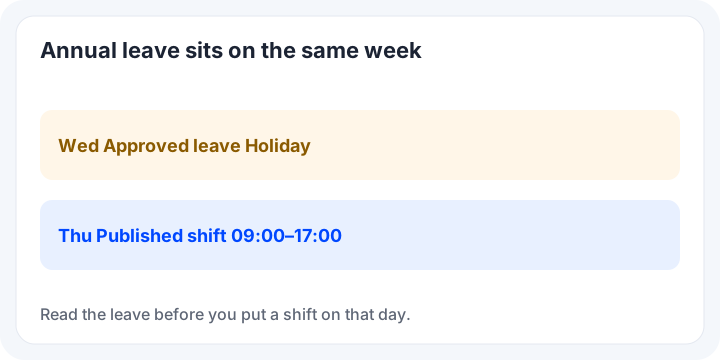
Annual leave belongs on the same week as the shifts, in days or in hours. If holiday lives in another tool, someone copies it across before the rota is published.
The prices are not one unit
Five people
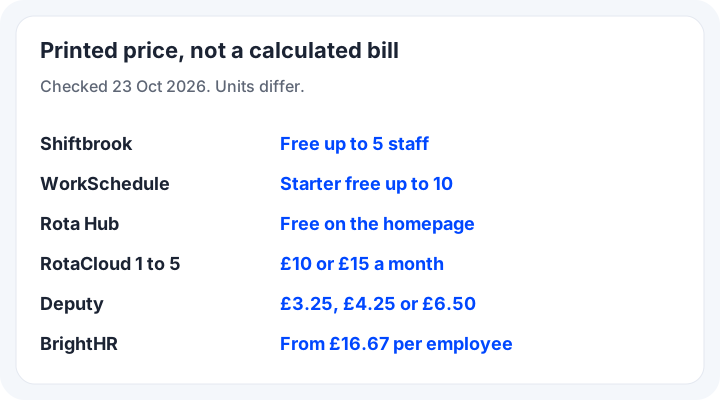
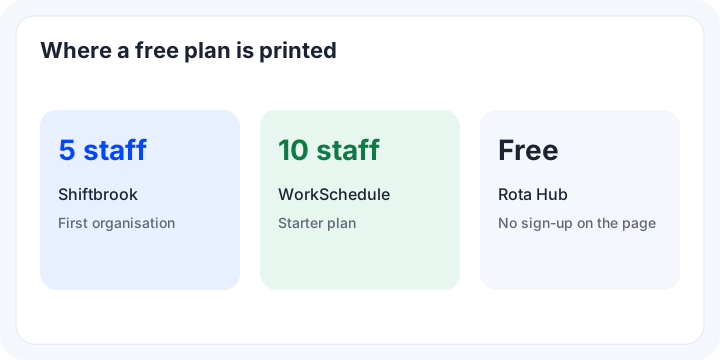
At 5 staff, Shiftbrook’s first organisation has no monthly fee. WorkSchedule Starter is free for up to 10 employees. The Rota Hub homepage describes creating a week for free, with no sign-up. The band price read for 1 to 5 employees was £10 a month on Standard and £15 a month on Pro.
That price is for the band, not for each person. Annual billing was described as a saving of £20 a year on Standard and £30 a year on Pro, compared with paying monthly.
Ten people
At 10 staff, WorkSchedule Starter is still free. Shiftbrook is past the free limit: £3 per user per month, with a £15 minimum. Ten people at £3 each is £30, which is above the £15 minimum. The 1 to 5 band does not state a 10-person price, so none is guessed here.
Shiftbrook
Best for a small team that wants attendance recorded
Best for a UK team of up to 5 staff that wants the rota, clock-in, annual leave and timesheets together, and the price before you start. It is a poor fit if you want software to build the week, or a task list. There is no automatic scheduling.
What is built
You add a shift with a location, a person or an open shift, a date, a start, an end, break minutes and a note. A shift template is a saved start and end. Copy last week brings the previous week forward as drafts and skips overlaps, approved leave and bank holidays. The rota has a week view and a month view. Staff do not see drafts.
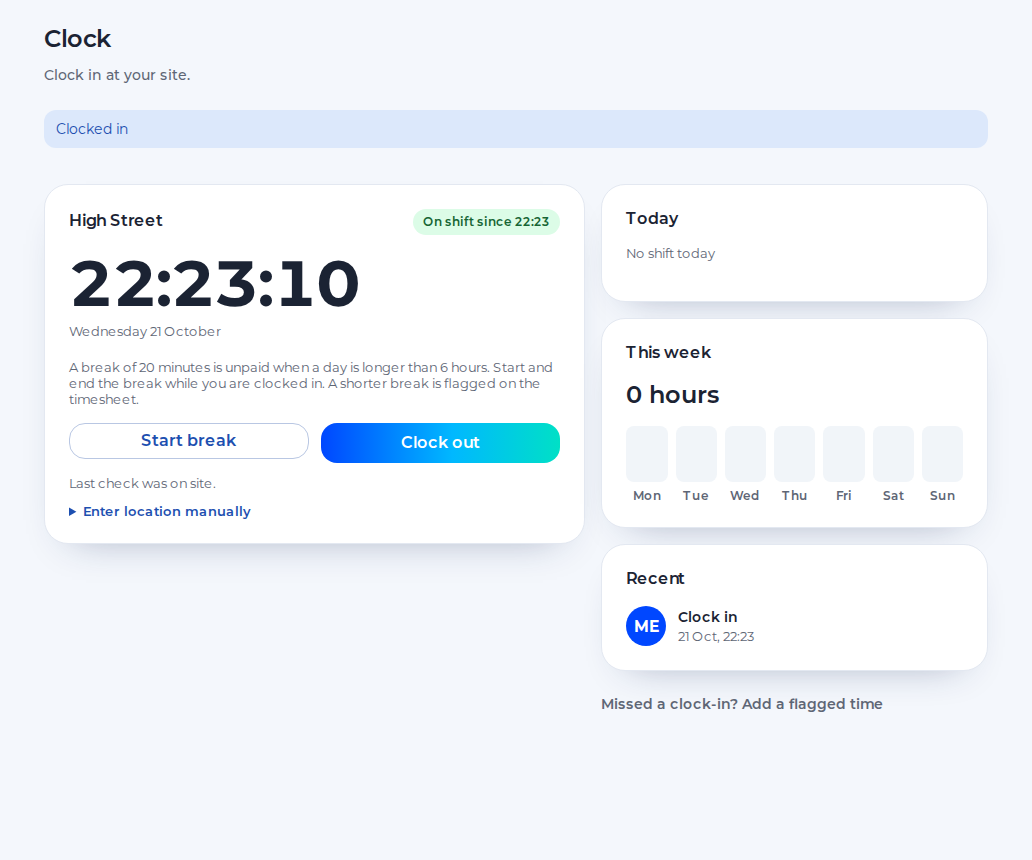
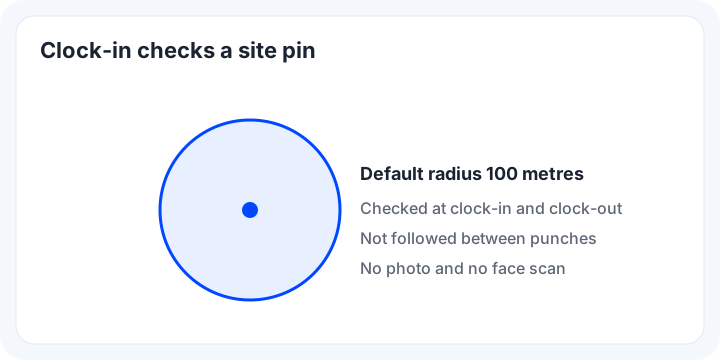
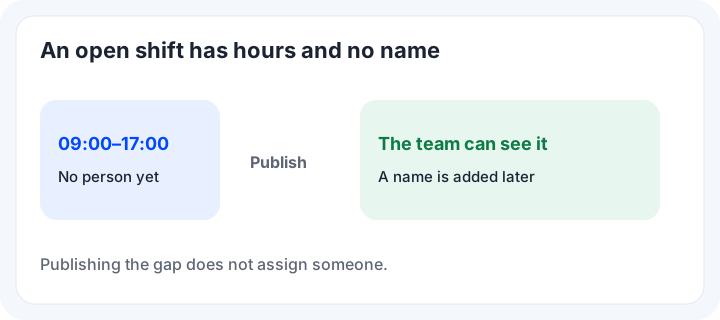
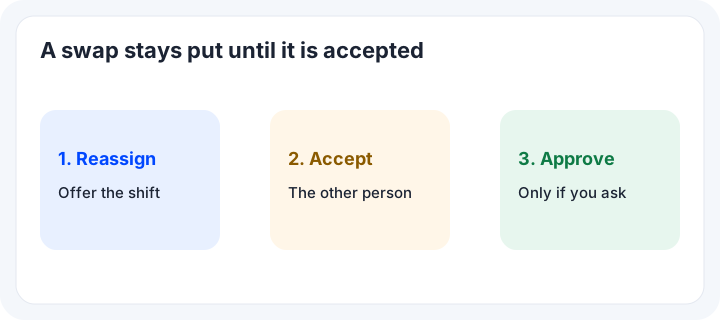
Open shifts are published hours with nobody on them. Shift swaps start from a published shift. Reassign offers it, and it stays put until the other person accepts. Approve swap is there when a manager still has to agree. Clock-in checks the phone against the site pin at clock-in and at clock-out. Breaks sit on the clock. There is no photo and no face scan.
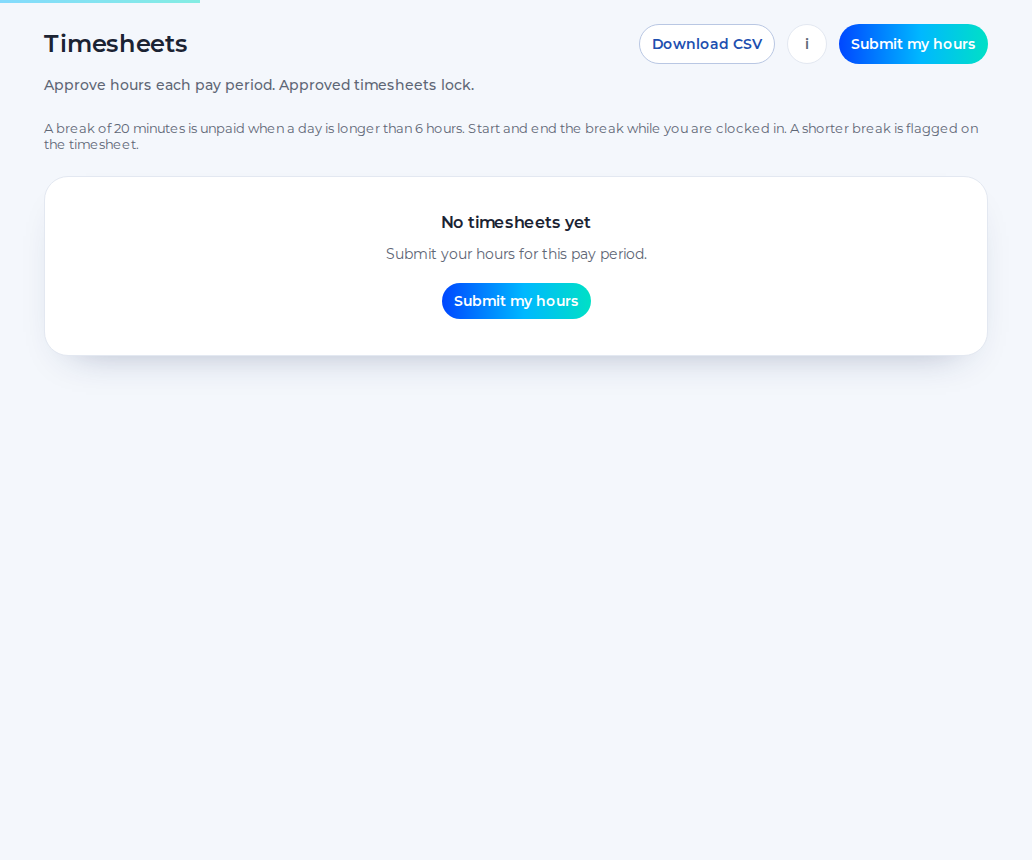
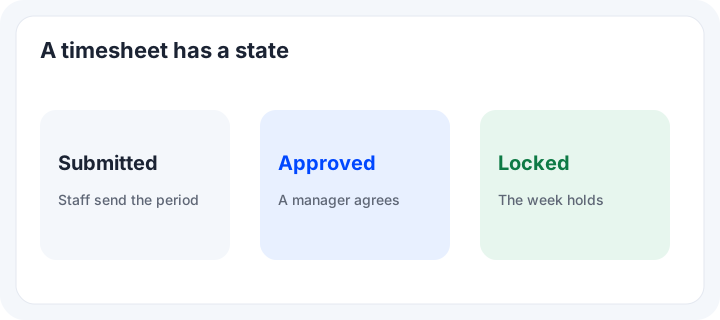
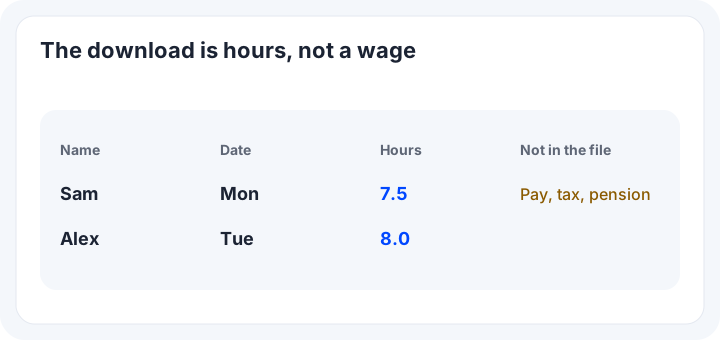
Staff submit timesheets. A manager approves or declines. An approved timesheet locks. The CSV is hours, not a wage. Those hours are not pay. Shiftbrook does not calculate pay, tax or a pension.
The price after five staff
The first organisation is free for up to 5 staff, with no end date, one location and one department. Going past 5 starts one 14-day trial of the paid plan, if it has not been used. No card is asked for. After that, £3 per person per month, with a £15 minimum. The agency plan is £5 per active worker per month, with a £25 minimum. Clock-in is on the free plan. The paid plan adds a second location, the API and webhooks, and notices in Slack, Teams and Google Chat. Approved hours can be sent to Xero as draft timesheets. Shiftbrook does not approve a pay run.
RotaCloud
Best for the 1 to 5 band
RotaCloud suits a team of 1 to 5 employees that wants the band price on the pricing page, including shift swapping and staff availability patterns. Read the add-on before assuming attendance is included. Checked 23 Oct 2026.
What Standard lists
Standard for 1 to 5 employees was £10 a month. Pro was £15 a month. The page offered a 30-day free trial, no payment details and no setup fee, and said there is no long-term contract. A larger band is on their slider. It was not copied here.
The Standard list includes unlimited sites, templates, copying, free mobile apps, holiday, time off in lieu, sickness, shift swapping, staff availability patterns, and calendar and HR integrations. Forecasting is on Pro. Time and attendance was printed as 4.50, and SMS as 2, with no currency sign, so none is added. The add-on describes on-site clocking, a terminal and a payroll report and export.
Deputy
Best for auto-scheduling or biometrics
Deputy is the one to read if you want auto-scheduling, demand forecasting or biometrics. Those are on the Core list. Checked 23 Oct 2026. Lite was £3.25 per user per month, Core was £4.25, and Pro was £6.50, excluding applicable taxes. HR was £2 per user per month. Administrators count as users.
The monthly minimum
The pricing FAQ said monthly Lite, Core and Pro have a minimum of £20 per month per invoice from 1 September 2025. Five times £3.25 is £16.25, which is under that minimum. Ten times £3.25 is £32.50. That is arithmetic from the printed per-user price, not a basket. On Deputy, SMS for the UK was 5p per 160 characters, exclusive of applicable taxes.
Deputy Lite lists basic rotas, basic timesheets, basic time clocking, shift swap and find replacement, leave accruals, messaging, and payroll and HR integrations. Core adds auto-scheduling and biometrics. An introductory AI price was listed as free, and may change. Ask Deputy for the trial length. The text that was read did not print it. Shiftbrook does not build the rota and does not scan a face.
BrightHR
Best for rotas inside HR
Best for a business that wants shifts and rotas, a holiday planner, absence and time tracking inside a wider HR package, and will confirm the rate for its own headcount. Checked 23 Oct 2026.
Two prices on one page
Core was shown from £16.67 per employee per month, with £83.35 a month labelled as excluding tax. Enhanced was from £21.20, and £106.00 a month excluding tax. The full package was £31.30, and £156.50 a month excluding tax. Online pricing does not include insurance. The FAQ says prices start from £3.00 per person depending on business size. £83.35 is five times £16.67. The page did not call that a five-person minimum.
The lists include a holiday planner, shifts and rotas planning, absence, an overtime tracker, a payroll navigator, and time-tracking apps. The FAQ says clocking in and out and sick leave are in the package. A free demo is offered. Rota Lite is something you can try for free. Contracts of 24, 36 and 60 months are offered, with 36 months available online.
WorkSchedule
Best for a free plan up to 10
Best for a team of up to 10 employees that wants to stay on a free plan, with UK working-time checks on Starter. It may also suit you when you want wage, National Insurance and pension estimates in the product. Checked 23 Oct 2026.
What Starter lists
Starter is free for up to 10 employees. It lists shift templates, copy-week, working-time checks, a weekly view, time-off requests and approval, reports, a CSV of the cost report, and email. A monthly view, SMS, team chat, role permissions and import are on Professional.
Professional is shown as £2.25 per user per month. The same page says a £2.25 per month minimum after a 14-day trial covers the first 10 employees, and that each employee beyond 10 adds another £2.25. It also says Professional is not free under 10.
Clock-in is not listed on that pricing page, and nor are timesheets, Xero, Slack, Teams, an API or calendar feeds. Shiftbrook does not send SMS and does not include team chat.
Rota Hub
Best for a week with no sign-up
Best for someone who wants to plan a week in the browser without an account, from what the homepage says. This note is about that site only, not a different product on another domain. Checked 23 Oct 2026.
What the homepage says
The title calls it a free rota planner for staff scheduling. The description says you can create a week in minutes, for free, plan weekly shifts, track hours and pay, print it, and share a read-only link, with no sign-up. A sample week, plus save, load and reset, is on the page. No paid tier or headcount cap was printed, so none is invented. Attendance is not described there, so it is not described here.
A spreadsheet
Best for one person and one file
Best for a very small week that one person writes, when nobody needs a published shift on their own phone. A spreadsheet is still a fair way to run that week. Move when the file and the messages disagree.
The blank staff rota template
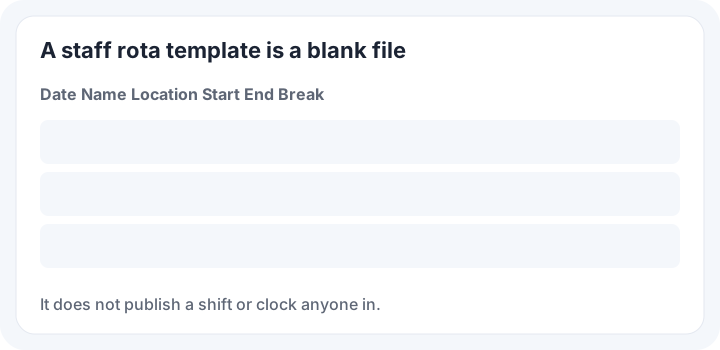
Shiftbrook’s blank weekly file is a blank .xlsx. The columns are the date, the name, the location, the start, the end and the break. No email address is asked for. The file does not publish anything, and it does not record a punch.
Open shifts and shift swaps
Open shifts keep a gap visible without a fake name. Shift swaps move a published shift to someone who agrees. Both are built in Shiftbrook. The Standard list includes shift swapping. The Lite list includes shift swap and find replacement. A spreadsheet only keeps either if the last edit is the one people open.
Staff availability
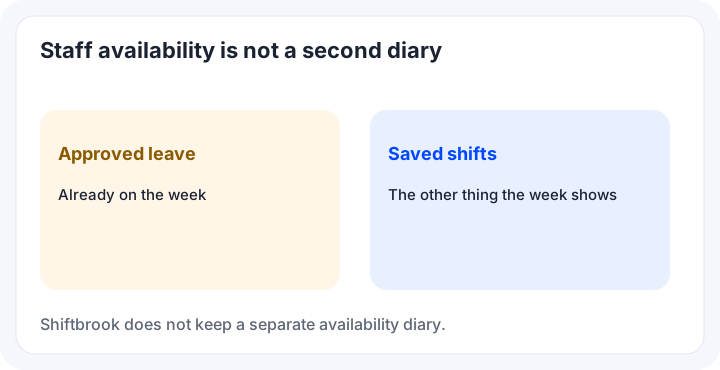
Staff availability, on that Standard list, is written as staff availability patterns. Shiftbrook does not keep a separate diary. Approved leave and the shifts already saved are what the week shows. A standing pattern of days someone can never work is not a screen here. You avoid those days when you write the shift.
Working time regulations compliance
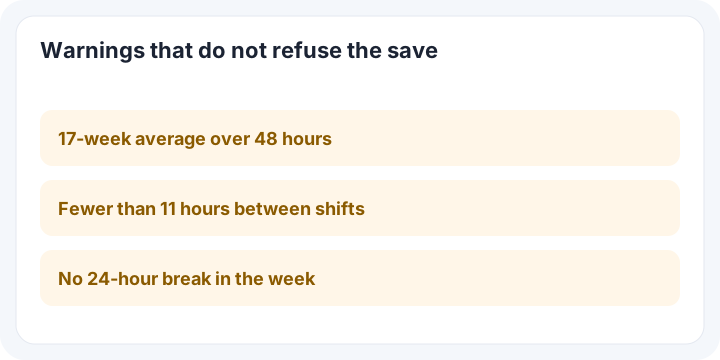
Working time regulations compliance is not a certificate this product issues. Saving a shift warns when the 17-week average goes over 48 hours, when there are fewer than 11 hours between shifts, or when the week has no 24-hour break. The shift is still saved. Under 18, tighter limits apply when a date of birth is set. The rule is on GOV.UK. Starter includes UK working-time checks. Lite includes labour law compliance. This page does not compare the legal tests inside those products.
Payroll integration
A payroll integration, here, means approved time can go to Xero Payroll UK as draft timesheets on the paid plan. It does not calculate a wage and it does not approve a pay run.
Google Calendar, iPhone and Android
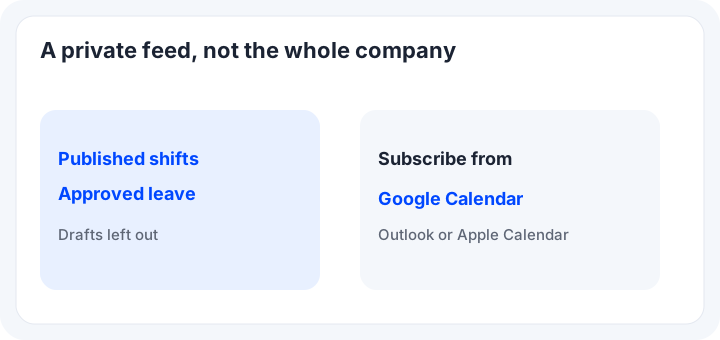
Google Calendar can subscribe to a private feed of your published shifts and approved leave. Drafts are left out. Outlook and Apple Calendar can use the same kind of link. A manager can also take a who’s off feed. A company can switch the feeds off.
A mobile app
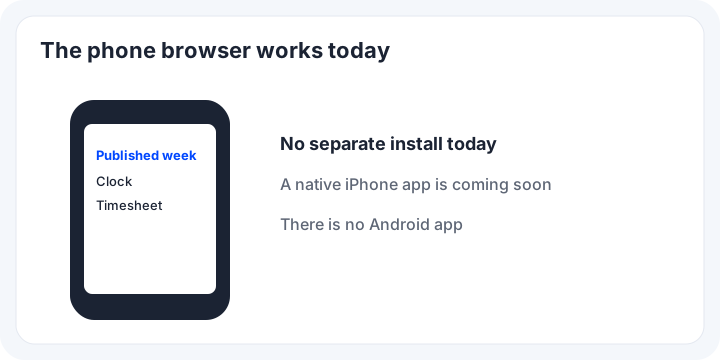
There is no separate mobile app to install today. People open the same sign-in in the phone browser. A native iPhone app is coming soon. There is no Shiftbrook Android app. The Standard list includes free mobile apps, without naming a store in the text that was read.
Ease of use
Ease of use is how few places the rota can change. One published rota is easier to follow than a file plus a chat. In Shiftbrook you write the shift, save it or hold a draft, and staff see the published week. Attendance, leave and the timesheet use that week. There is no sample company.
How to do a rota on WhatsApp
You can run a week in WhatsApp. Write the names and the times, and pin the message. When something changes, send a new message and say which line it replaces. Ask people to confirm, not to rewrite the week in the thread.
That fails when two edits land an hour apart. The pinned message has no approval. Use the chat to point at the rota. Keep the rota in one place, whether that place is a spreadsheet or rota software.
A fair way to choose
Pick from the job, not from a league table. Under five people, with attendance and timesheets on the free plan, start with Shiftbrook. For a free plan up to 10 employees and wage estimates, read Starter. For no account at all, read the Rota Hub homepage. For auto-scheduling or a face scan, read the Core list and the £20 monthly minimum.
For a 1 to 5 band price with shift swapping and staff availability patterns, read that pricing page. For rotas inside HR advice and a longer contract, ask BrightHR for the rate. For a tiny week, use the staff rota template. Scheduling software can publish shifts and hold the record. It should not invent a wage it does not calculate. The free rota app page is the Shiftbrook limit. Pricing is the same £3 and the £15 minimum.
Sources
- RotaCloud pricing, checked 23 Oct 2026.
- Deputy UK pricing, checked 23 Oct 2026.
- BrightHR pricing, checked 23 Oct 2026.
- WorkSchedule pricing, checked 23 Oct 2026.
- Rota Hub homepage, checked 23 Oct 2026.
- GOV.UK weekly working time, for the rest rules the warnings follow.
- Shiftbrook pricing and the staff rota template.
Questions
What is the best rota app?
There is no single answer. Match the printed price to the team you have, and check whether clock-in, annual leave and timesheets are in the same product. Shiftbrook is free for up to 5 staff, then £3 per person per month, with a £15 minimum. A native iPhone app is coming soon.
Is there a free rota app?
Yes. Shiftbrook is free for up to 5 staff on the first organisation. WorkSchedule’s pricing page says Starter is free for up to 10 employees. Rota Hub’s homepage says you can create a staff rota for free, with no sign-up. Other products on this page offer a trial or a demo, which is not the same as a plan with no end date.
Is RotaCloud free?
No. On 23 Oct 2026 the pricing page showed a 30-day free trial with no payment details, then a monthly price for 1 to 5 employees. That is a trial, not a free plan that stays free.
How to do a rota on WhatsApp?
Send the week as one message, then send every change as another message. People reply in the thread, and the first message stops being the week. A chat can tell someone a shift moved. It is a poor place to keep the only copy.