Staffing agency software for temp shifts and timesheets
Put temps on client shifts, let them clock in on site, and get the client to approve the hours from their own login.
Last checked: October 2026. A plain-English summary, not legal advice.
What you can do
Client sites
Add each site and pin it before anyone clocks in.
Publish the week
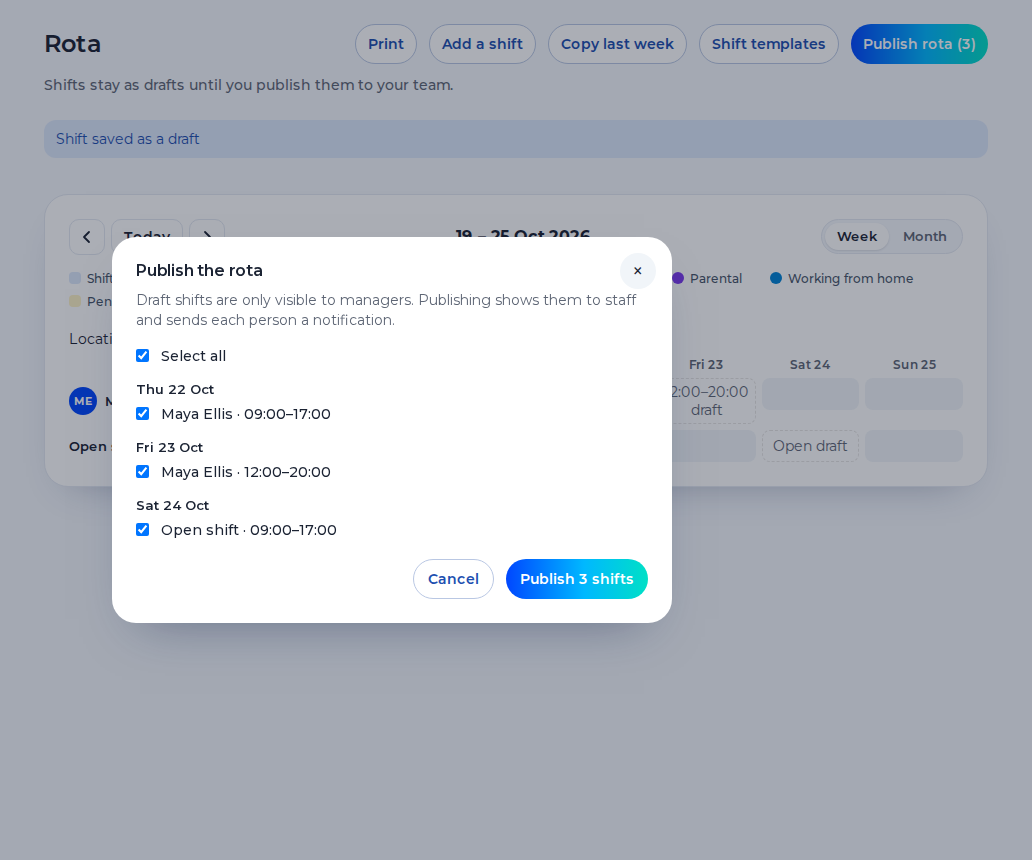
Drafts stay private until you publish them.
Clock in on site
The phone is checked against that site pin.
Client approval
The approver sees only their own sites. The login is free.
Lock, then export
You lock the week and download a CSV of hours.
Agency price
£5 per active worker per month, with a £25 minimum. Owners, admins, HR and client approvers are free.
How it works
- 1
Add the site
Pin the client site before anyone can clock in there.
- 2
Publish shifts
Drafts stay off the phone until you publish them.
- 3
Clock in
The phone is checked against that site pin.
- 4
Client approves
The approver sees only their own sites, from a free login.
- 5
Lock and export
You lock the week, then download a CSV of the hours.
The week, the clock and the hours
An agency organisation in Shiftbrook places people on client sites. You add the client, you add each site with a pin, you publish the shifts, and the person clocks in when they reach that site.
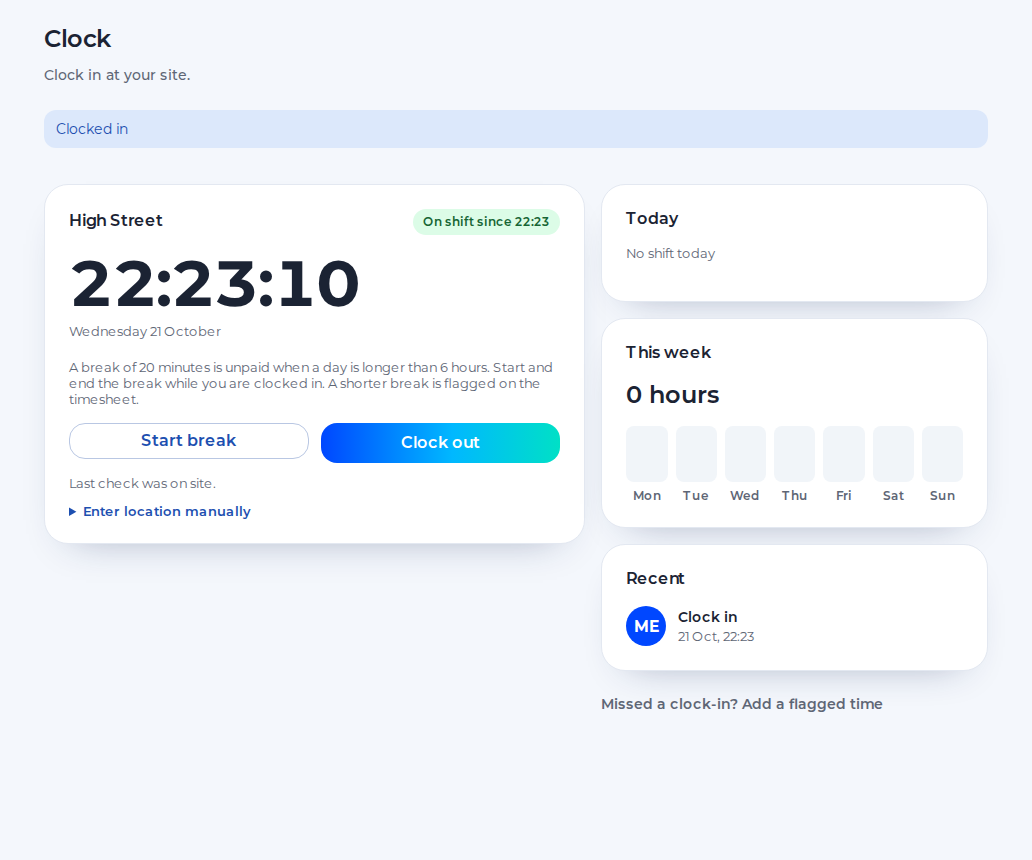
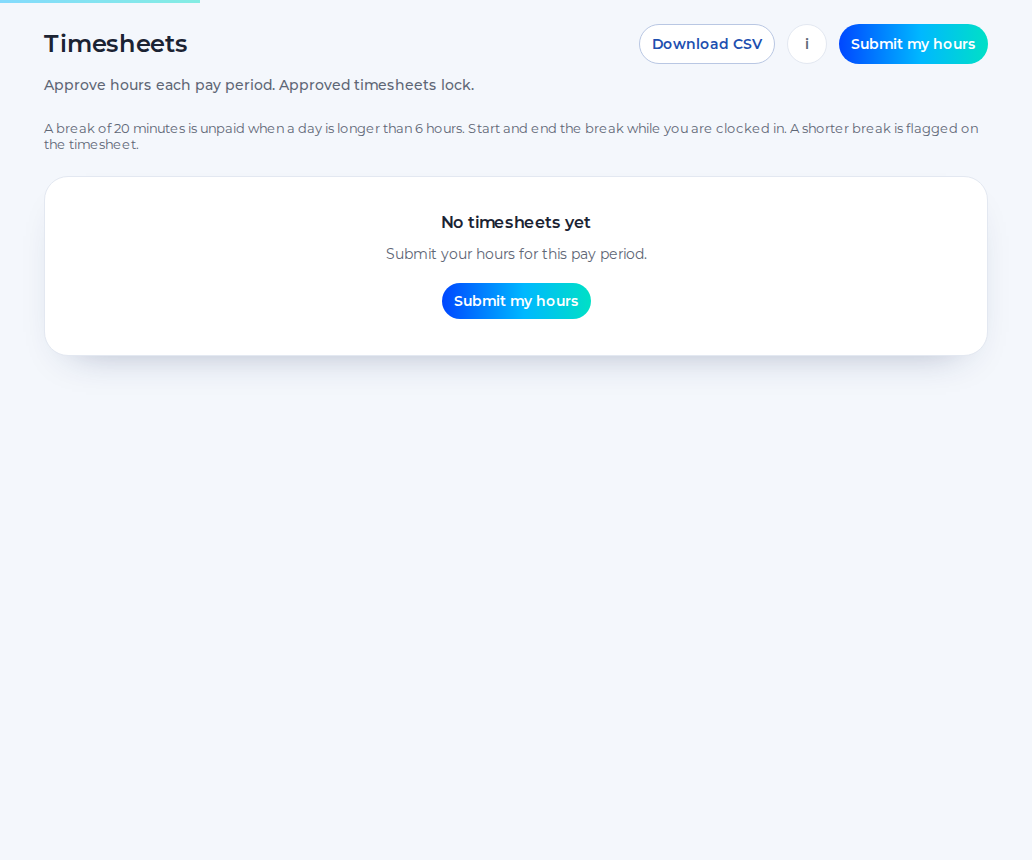
The pictures below are the rota, the clock and the timesheet as they ship. The seeded demo behind those pictures is an employer team, not an agency. An agency uses the same screens, with client sites and a client login.
What your client sees
The approver is a client user. They do not clock in, and they do not submit a timesheet.
Client sign-off is on the paid plan. You can add clients and sites before that.
Clock-in at the client's site
Checked against the product on 23 October 2026. A punch outside the pin is refused.
A time a manager types in needs a note, and it is flagged. Draft shifts stay off the worker's phone until you publish them. The client does not become the employer because they approved a week. Who employs the person is the contract, not a button in Shiftbrook.
What happens to the hours
Approved hours download as a CSV. On the timesheet that file is the hours the viewer can see.
Approved hours can be sent to Xero Payroll UK as draft timesheets on the paid plan. Shiftbrook does not approve a pay run.
Pricing for agencies
The agency price is £5 per active worker per month, with a £25 minimum. The minimum is five workers.
An active worker is a member with the staff role or the manager role, while they are active. An owner, an admin, someone with HR access, and a client approver are not charged.
Who it suits and who it doesn't
It suits a staffing agency that places temps on client sites and wants the week, the clock and the approval in one place. Hospitality, warehouses, shops and factories are all sites you can pin.
It does not suit a bureau that needs to raise the client's invoice, run pay, store charge rates, count the 12-week Agency Workers Regulations clock, or keep worker documents. None of those are in the product.
Rules agencies work under
The Agency Workers Regulations guide explains day-one rights and equal treatment after 12 weeks in the same job. Shiftbrook does not count those weeks.
What the worker is sent
The worker is invited by email. There is no text message.
Name the agency, add the client, and pin one site before anyone is paying. The approver login is free and covers every site of that client, not one site and not your other clients.
How this compares
TimeGenie, read on 23 October 2026, sells bundles of timesheets from £2.90 each down to £1.40 each, to use within 12 months, and its page lists invoicing, expenses and email reminders. Timesheet Portal's own pricing address was not available that day.
Further reading sits with the product, not instead of it: how to start a staffing agency, client timesheet sign-off, paper and digital timesheets, the Key Information Document, clock-in and the timesheet template.
Questions
Is there an agencies price?
Yes. £5 per active worker per month, with a £25 minimum. Ten active workers is £50. Forty is £200. One hundred and fifty is £750. Staff and managers count. Owners, admins, HR and client approvers are free. An employer organisation uses the other paid price.
Can the client sign off on the free plan?
No. Client sign-off is on the paid plan. You can add the client and the sites first. The 14-day trial of the paid plan does not ask for a card, and it does not start when you invite an approver.
Can one client have several sites?
Yes. Add a site for each place, each with its own pin. The approver for that client sees those sites. They do not see another client's sites.
Can a worker work for several clients?
They can be placed on more than one client site, and they can be rostered on a published shift at a site. The clock offers those sites. It does not offer a site they are not assigned to and not rostered on.
Who is the employer?
The contract decides. Shiftbrook records the placement, the clock and the approval. It does not decide employment status, and approving a week does not transfer employment to the client.
What if the client disputes a shift?
They reject it and must give a reason. Approve does not need a reason. There is no separate dispute thread. The agency sees the reason on the timesheet and the week stays unlocked until the agency locks it.
The week, the clock and the hours
The client approves or rejects the hours for their own sites. You then lock the week. Approved hours download as a CSV. That file is hours. Shiftbrook does not raise an invoice, does not pay the worker, and does not take a fee from them.
First, add a client and their sites. Each site needs a pin before clock-in will open there. Search the address, or enter the latitude and longitude. The radius starts at 100 metres. A yard that is larger than the circle can be widened, up to 1000 metres. There is no punch against a site that has no pin.
Second, place temps on shifts and publish the week. A draft is private. An open shift is a gap with no name, once it is published. The worker sees the published week on Rota. They do not see another client's rota.
Third, temps clock in when they reach the site. On an agency account the clock offers only client sites that person is assigned to, or rostered on today. It does not offer another client's sites, and it does not offer the agency's own office site. If they have one published shift site today, that site is the default. Clock-out stays on the site they clocked in at.
Fourth, the client approves the week from their own login, and that login is free. They see hours for that client's sites. They do not see another client. Approve can be saved without a comment. Reject needs a reason. Shiftbrook does not email them a chaser each week, and this page does not describe a queue of several approvers as a feature. Invite the person who will approve.
Fifth, you lock the hours and export them. The client's approval does not itself lock the week. The agency presses Lock after the client has approved. The download is a CSV of the hours you can see. It is not an invoice pack, and it is not a pay run. Approved hours can be sent to Xero Payroll UK as draft timesheets on the paid plan.
What your client sees
They open Timesheets and decide each shift that is waiting. The screen says a reason is required only if they reject. Until they decide, the agency row says it is waiting for the client. When they have finished, the agency locks. Read what the approver is asked to do, and the approval steps.
A 14-day trial of the paid plan does not ask for a card. The trial does not start when you invite the first approver. You start it from the plan choice at signup, or from Billing. If the trial has already been used, Billing shows Upgrade instead.
Clock-in at the client's site
If the organisation is set to flag those punches instead, the person must give a reason and the punch is flagged. The default radius is 100 metres. You can set it from 25 to 1000 metres. A reading coarser than 100 metres is ignored. The phone is checked when someone clocks in or out. It is not followed between punches, and there is no photo.
What happens to the hours
It is the handover to whatever payroll or invoicing system you already use. Shiftbrook does not calculate the wage, the tax, or a pension, and it does not raise an invoice or pay the worker. A manual time needs a note because it did not come from the phone at the pin.
The paid-plan API can read people, locations, shifts, leave and approved timesheets, and it can send webhooks when a shift is published, leave is approved, a timesheet is approved, or a person is created. That is documented for developers. It is not a feed that sends payroll, and it is not a per-client invoice export.
Pricing for agencies
Ten active workers is £50. Forty is £200. One hundred and fifty is £750. Each currency has its own amount. We do not convert between them. An employer organisation uses the other paid price.
Someone who has left is not active, so they are not billed. Someone who is paused is not billed either. Open invites count towards the free plan's limit of 5 on the first organisation. Client approvers are not part of that 5.
There is no share of the margin. The pricing page shows the employer price and the agency price. Start free as an agency when you want the setup questions aimed at clients and sites.
Who it suits and who it doesn't
The worker still belongs to the agency account. The client's own staff, if they have any, are not mixed into your rota.
Rules agencies work under
The umbrella companies guide explains the April 2026 PAYE position: an agency that contracts with the end client can be jointly liable for PAYE. Shiftbrook does not operate PAYE. Both guides were checked against GOV.UK on 23 October 2026.
What the worker is sent
The email points at the install page for the web app, tells them to clock in at the client site, and tells them to open Rota for published shifts. Questions about the placement go to the agency, not the client. Drafts stay off that list. If the phone cannot produce a reading, they cannot punch, and a manager can add a flagged time later. That time needs a note.
Client sign-off is on the paid plan. A 14-day trial does not ask for a card, and inviting the approver does not start it. Temps are added by email. Publish the shift they should see, then lock the week after the client approves and download the CSV of hours. Start free as an agency. Paper and digital timesheets is the clipboard this replaces.
How this compares
Capterra UK listed a starting price of £3.94 flat rate per month and did not itemise modules in the text that was read. The TimeGenie comparison and the Timesheet Portal comparison link the sources and date the figures. They do not rank anyone.
Sources
Start free as an agency
A 14-day trial of the paid plan does not ask for a card. Inviting an approver does not start it.