Lunch and dinner get drawn as one bar
One long shift hides the afternoon the team is not at work. The hours look bigger than the service, and the break rules get muddy.
IndustriesRestaurants
Plan lunch, dinner and the gap between them in one week. Staff see the restaurant rota on their phone, clock in at the site, and you approve the hours.
Free for up to 5 staff. A 14-day trial needs no card.
One long shift hides the afternoon the team is not at work. The hours look bigger than the service, and the break rules get muddy.
Two people sort it between services. The published week still shows the original name until someone accepts and a manager approves.
A close that runs past six hours still needs its break. Memory at the end of the night is a poor record of who took it.
What you get
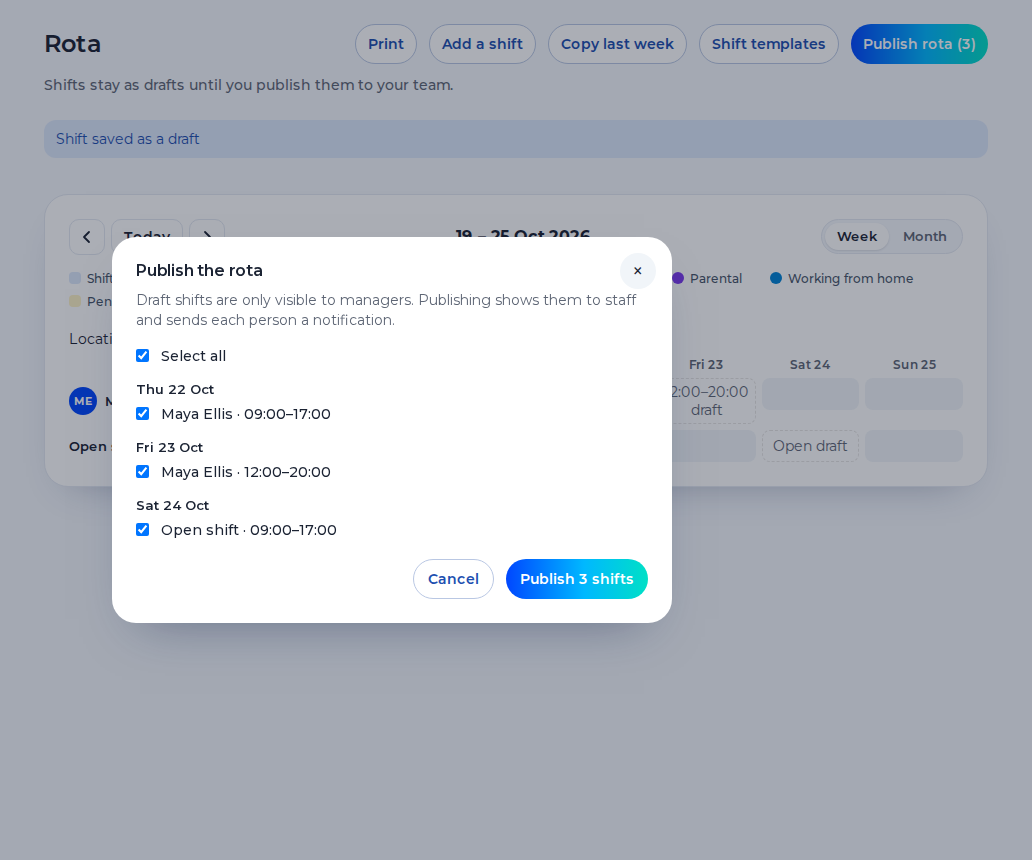
Draw lunch and dinner as two shifts, each with its own start, end and break. Saving a shift warns you about the 48-hour average, short rest and a missing weekly break. The warning never blocks the save.
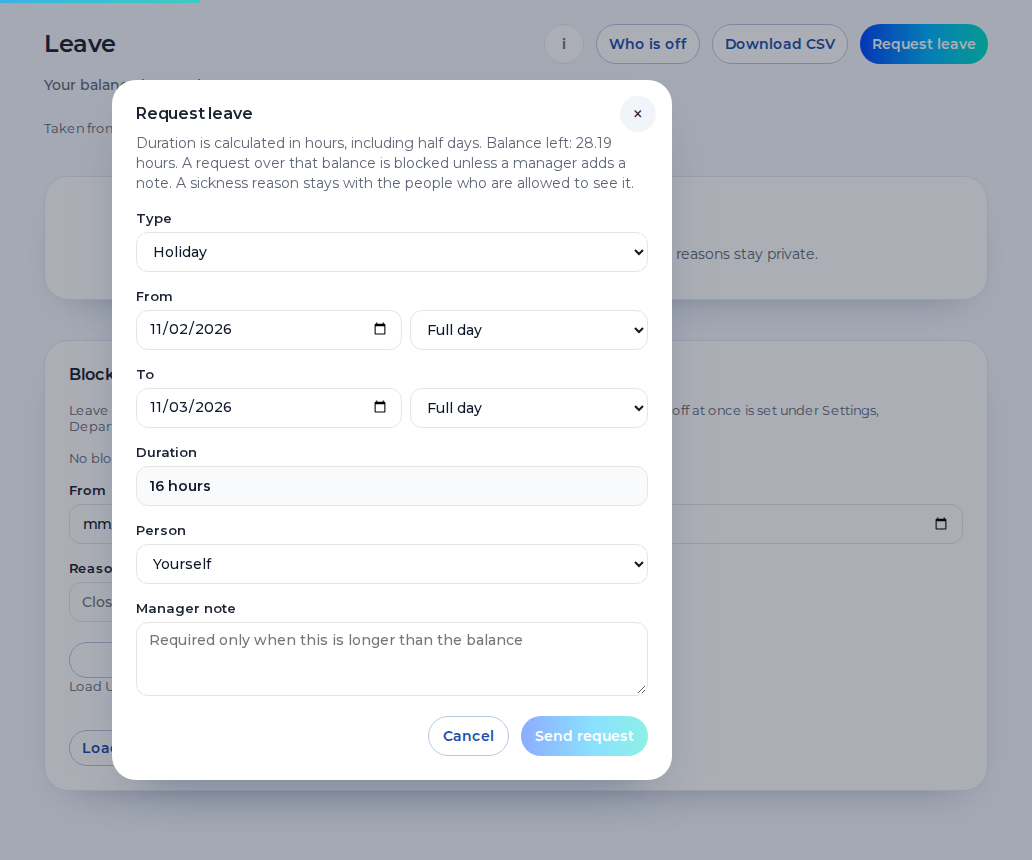
Staff request leave from their phone. Holiday and sickness sit on the same week, so you can see the gap before you publish dinner. A sickness reason stays private.
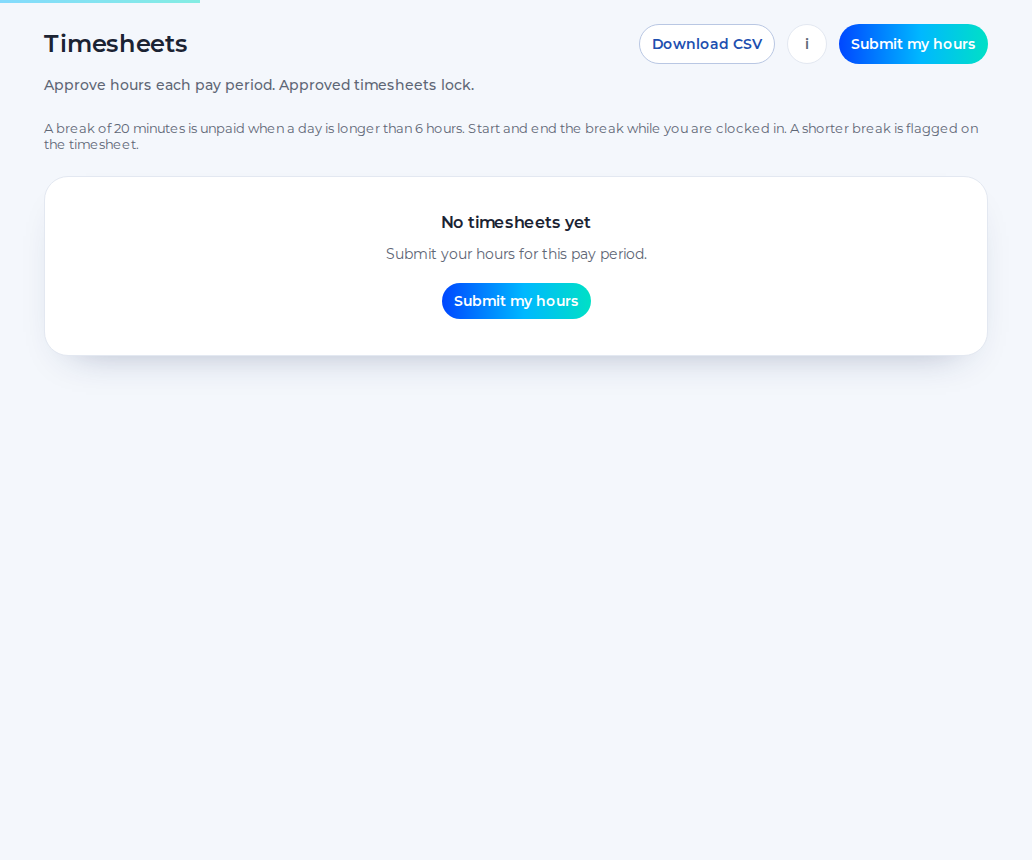
Staff submit the hours, you approve them, and the approved hours download as a CSV. Approved hours can be sent to Xero Payroll UK as draft timesheets on the paid plan. Shiftbrook does not approve a pay run, and it does not work out tips.
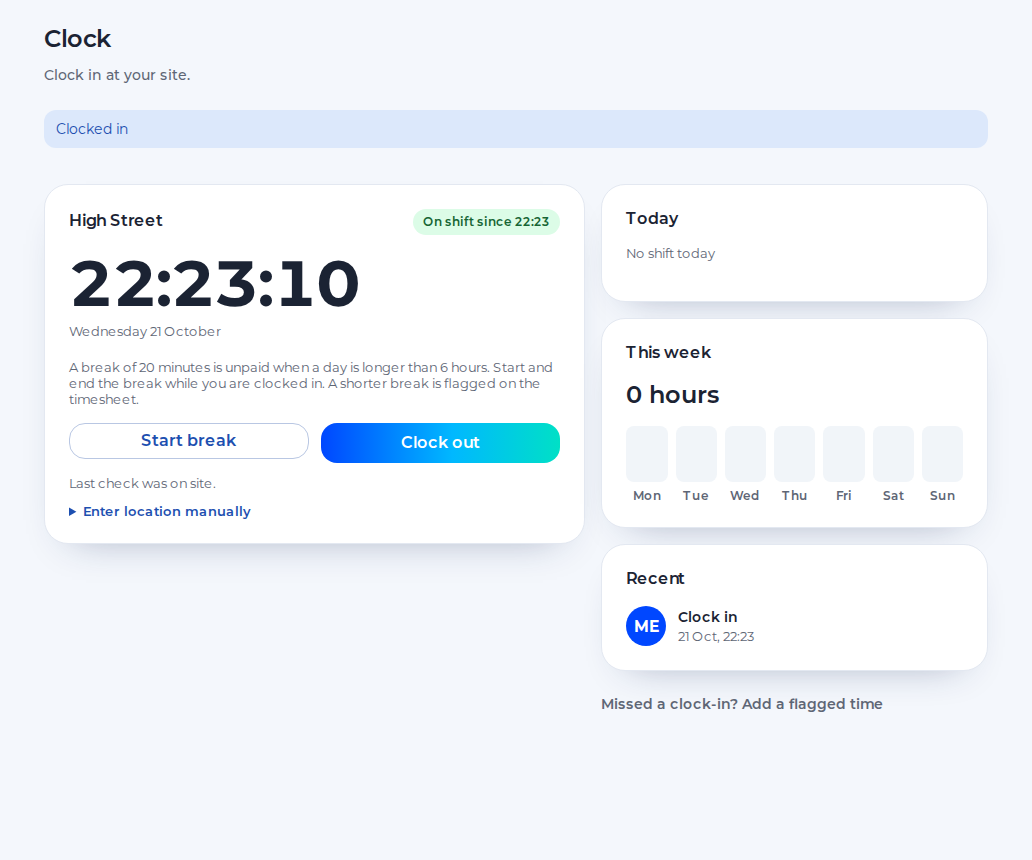
Staff clock in on their phone. The punch is checked against the site pin, default 100 metres, set anywhere from 25 to 1,000. Unpaid breaks are deducted from the hours. There is no photo.
One week for the floor and the kitchen. Further departments are on the paid plan.
You see both services and every approved hour. Payroll gets a CSV. The free plan covers the first site and up to 5 staff.
You publish lunch and dinner, cover a gap with an open shift, and approve swaps, holiday and timesheets on the same week.
Each person sees their own published shifts on their phone. They can request holiday, ask to swap and clock in when they reach the site.
An example day. Names and times are for illustration.
11:30
The lunch team clocks in at the site pin. Drafts from yesterday stay hidden until you publish them.
15:30
Lunch has ended. Dinner is a second shift, not the tail of the first. The afternoon is not counted as work.
17:30
A chef is off. You record it, the reason stays private, and you publish an open shift for the pass.
22:30
The team clocks out. Unpaid breaks come off the hours. On Monday you approve the timesheets and download the CSV.
One organisation, one location and up to 5 staff, for as long as you like.
The 14-day trial of the paid plan does not ask for card details.
When the trial ends, the organisation returns to the free plan.
The paid plan is £3 per user per month, with a £15 minimum.
Shiftbrook is the week and the hours. It is not the pass, the till or the bookings.
It does not take bookings, hold covers or plan the dining room.
It does not see takings, and it does not calculate tips or a tronc.
There is no shipped restaurant rota template. You place the shifts, or you copy a week you already made.
Front of house and kitchen are people on one week, not two rota products.
A restaurant day is often two services. Put a start and an end on each one. If you draw a single bar from the first starter to the last closer, the afternoon looks like working time and the unpaid gap looks like a break. It is not. Each service carries its own break minutes. An adult shift of more than six hours is still one 20-minute break under the usual rule, not a break every six hours. The warning on save can flag short rest between a late close and the next lunch. It does not refuse the save.
There is no restaurant rota template in the product. Copying last week repeats that week. It does not invent a new pattern, and it does not fill the pass for you. If you know the hours and not the person, publish an open shift. Drafts stay off phones until you publish.
Front of house and the kitchen share one week. The free plan includes one department. Further departments are on the paid plan, including the 14-day trial. They are still the same rota. A second restaurant is a further location on the paid plan, with its own pin. The free plan is one location and up to 5 staff.
Tips paid directly by the customer do not count towards the National Minimum Wage. A service charge you distribute might be different. Shiftbrook does not know what was in the tin. It knows the hours you approve. It does not calculate pay. Approved hours download as a CSV, and on the paid plan they can be sent to Xero Payroll UK as draft timesheets. Shiftbrook does not approve a pay run. This page is not legal advice.
Add them as two shifts on the same date, with the afternoon as a gap. Each one has its own start, end and break minutes. One bar from the first start to the last finish makes the afternoon look like work.
They share one week. You can put people in departments. The free plan includes one department, and further departments are on the paid plan. That is still one rota, not a separate product for the kitchen.
Put the unpaid break minutes on the shift. They are deducted from the hours. A day over six hours is still one 20-minute break under the usual adult rule, not a break every six hours.
Yes. The other person accepts the swap, and a manager approves it when that step is on. An agreement on the pass does not change the published week by itself.
Yes. The free plan is one organisation, one location, one department and up to 5 staff, with no end date. Past that, one 14-day trial of the paid plan starts if it has not been used. It does not ask for a card. When it ends, the organisation returns to the free plan.