The book at the gate is late
A 12-hour post can change after it is published. The book on the desk is not the week the guard has on their phone.
IndustriesSecurity
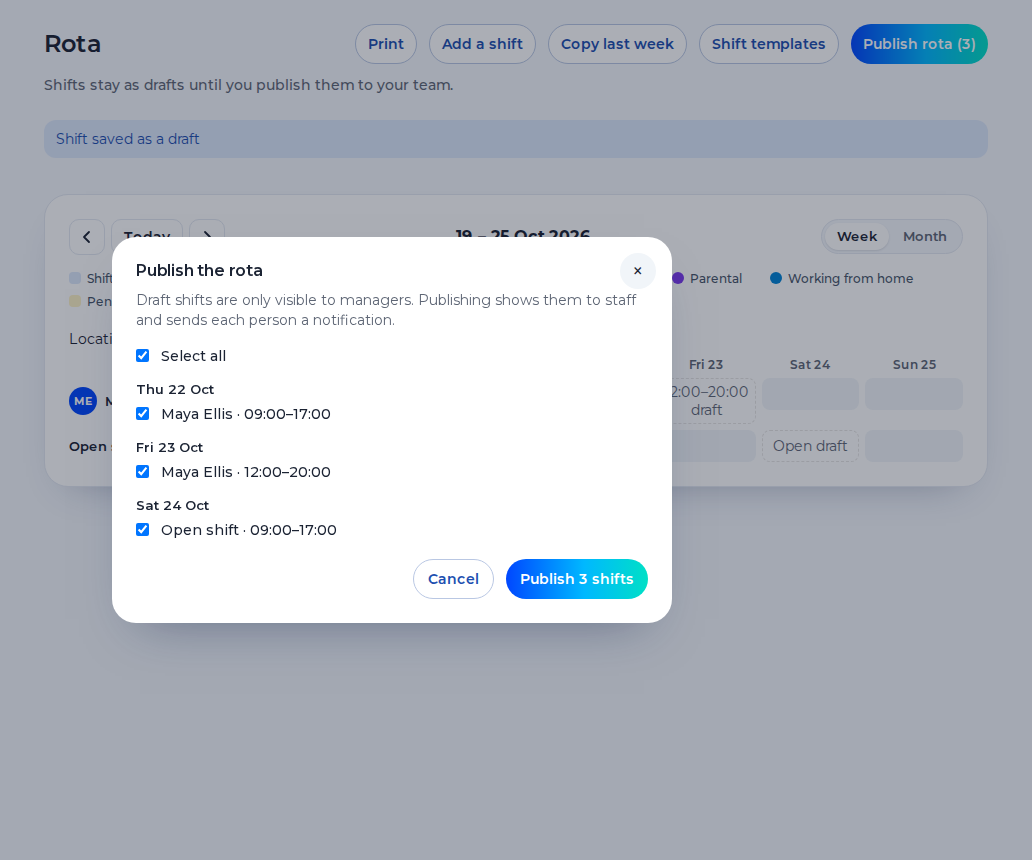
Publish the post, the hours and the site. Guards see the security guard rota on their phone, clock in by the site pin, and you approve the hours.
Free for up to 5 staff. A 14-day trial needs no card.
A 12-hour post can change after it is published. The book on the desk is not the week the guard has on their phone.
A long day and a night the next evening can miss the rest in between. The warning belongs on the save, not in a conversation afterwards.
A client asks whether the guard was there. You need the punch against that site pin, not a message that says they arrived.
What you get
Each post is a shift with a site, a start and an end. A 12-hour day is the shift you publish. Saving can warn you about rest and the 48-hour average. The warning does not block the save.
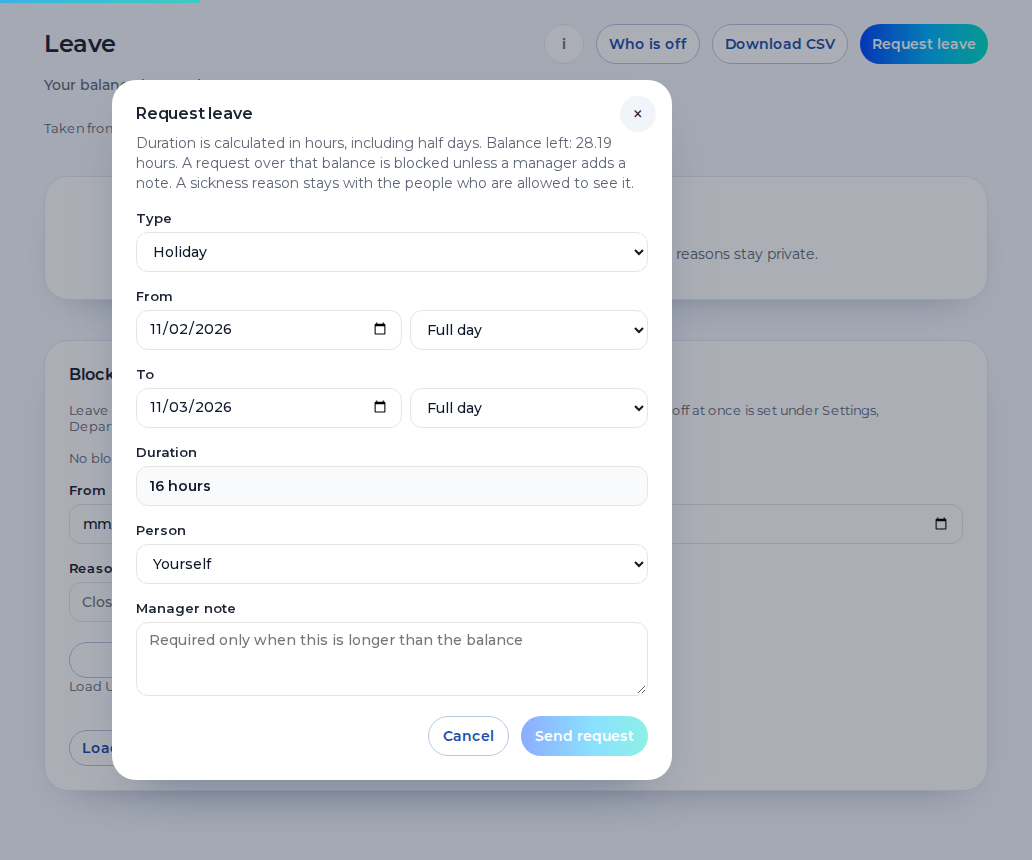
Guards request holiday from their phone. Leave and sickness sit on the week, so you can see a gap before the night starts. A sickness reason stays private.
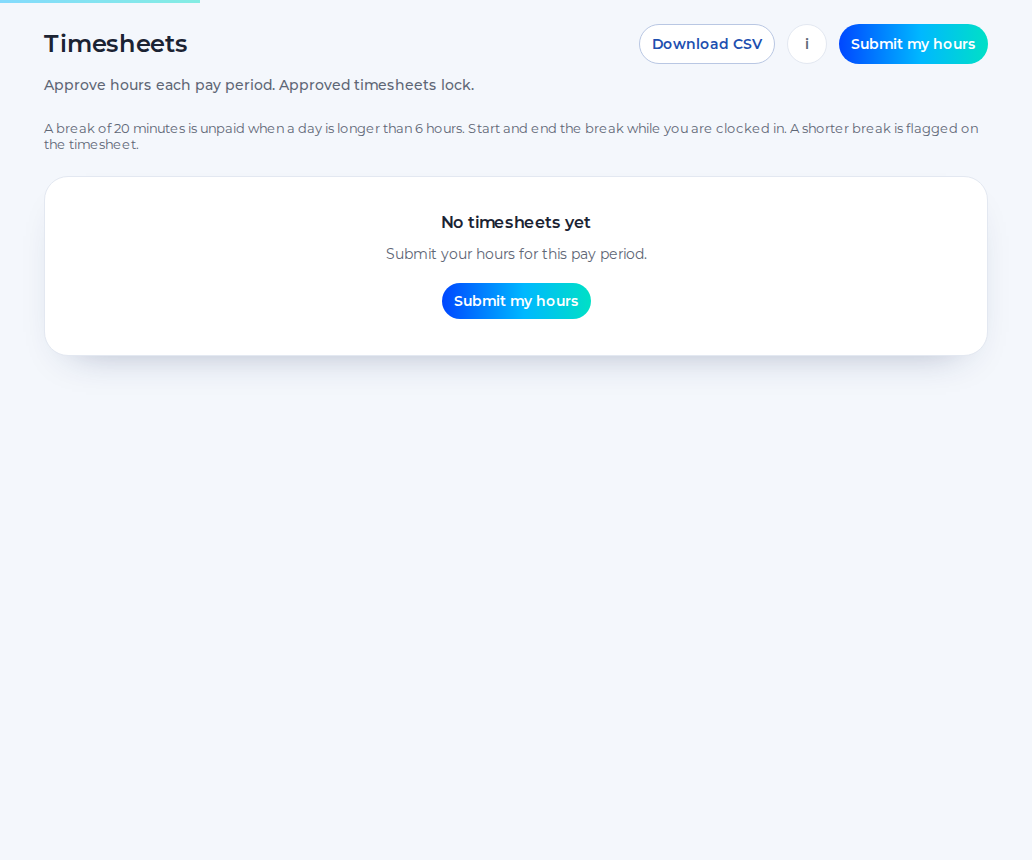
Staff submit the hours, you approve them, and the approved hours download as a CSV. Approved hours can be sent to Xero Payroll UK as draft timesheets on the paid plan. Shiftbrook does not approve a pay run.
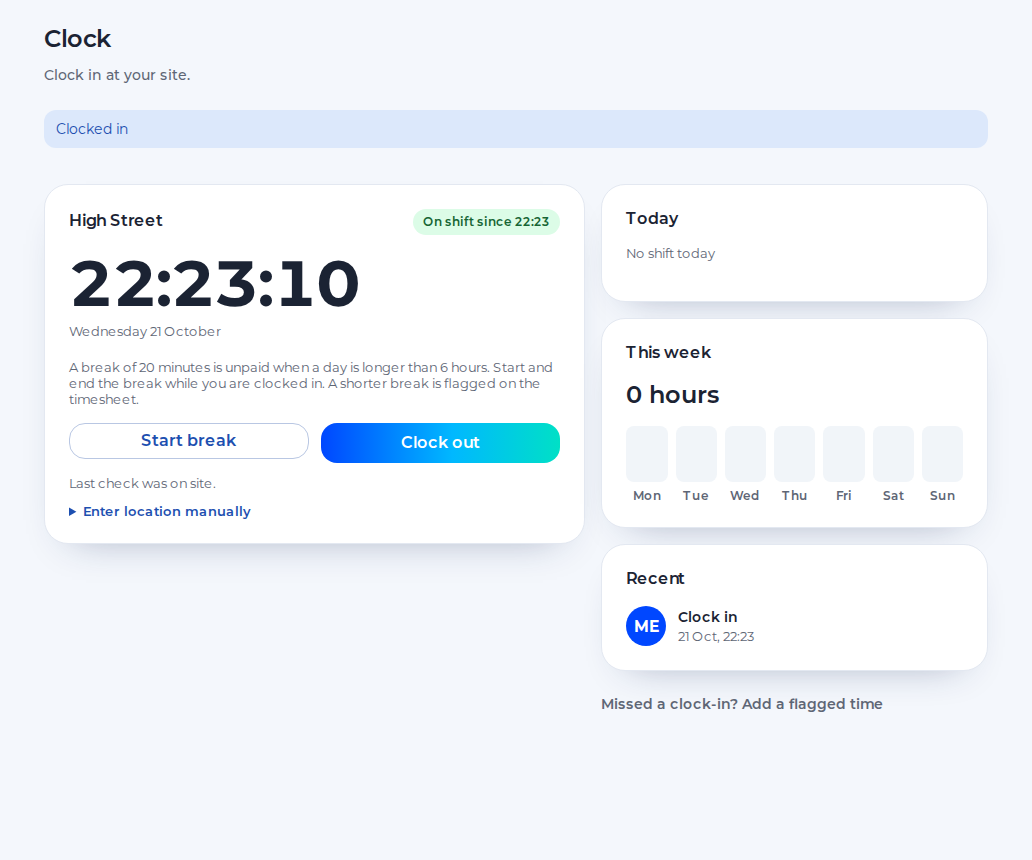
The guard clocks in on their phone. The punch is checked against the pin for that site, at that moment. The default radius is 100 metres, set from 25 to 1,000. It is not a licence check and not a patrol system.
Security company software for the rota, not for the licence.
You see every post and every approved hour. Further client sites are locations on the paid plan.
You publish the week, cover a gap with an open shift and approve swaps, holiday and timesheets.
You see the published post and the hours on your phone, request leave, ask to swap and clock in at the site.
An example day. Names and times are for illustration.
19:00
The guard clocks in against that site’s pin. The punch is the record of the clock-in. It is not a patrol log.
23:00
The phone shows the post and the finish. A change in a group chat does not replace the published shift.
2:00
If someone cannot finish, you record the sickness and publish an open shift. The reason stays private.
7:00
The guard clocks out. A warning can flag too little rest before the next post. It does not block the next save.
One organisation, one location and up to 5 staff, for as long as you like.
The 14-day trial of the paid plan does not ask for card details.
When the trial ends, the organisation returns to the free plan.
The paid plan is £3 per user per month, with a £15 minimum.
Shiftbrook records the post and the hours. It does not licence the guard.
It does not check SIA licences, store licence numbers or decide who is allowed to work a licensed post.
The site-pin punch is the clock-in. It is not a tour of checkpoints and it does not track the phone between punches.
It does not calculate pay for a 12-hour post. Payroll applies the contract to the approved hours.
You publish the days and nights. The product does not score whether they are shared fairly.
A 12-hour day or night is a shift you publish, with its own break minutes. An adult shift of more than six hours is one 20-minute break under the usual rule, not a break every six hours. An adult should have 11 hours between working days, and a weekly rest of 24 hours or 48 hours a fortnight. Saving the week can warn you. The warning does not block the save, and it does not make a long post unlawful or lawful. You still decide. A security officer rota is that same week: the post, the start and the end.
The free plan is one location and up to 5 staff. Further client sites are locations on the paid plan, each with its own pin. There is no punch against a site that has no pin. The phone is checked at the punch and is not followed afterwards. There is no photo. This page is not legal advice.
Whether a post needs a licence, and whether a person holds one, is not something Shiftbrook checks. The rota shows the shift you publish. It does not read a badge, store an expiry date or block a save because a licence is missing. Approved hours download as a CSV. On the paid plan they can be sent to Xero Payroll UK as draft timesheets. Shiftbrook does not approve a pay run.
A guard who regularly works at least three hours between 11pm and 6am can be a night worker. Unless an agreement says otherwise, that is the default night time. Normal hours for a night worker must not exceed an average of eight hours in 24, and a free health assessment sits with that rule. Shiftbrook does not book the assessment and it does not multiply the hour. There is no higher National Minimum Wage for nights. Any allowance is the contract, applied in payroll. The warning on save is about rest and the 48-hour average. It is not a decision that the post was lawful.
The guard clocks in on their phone. The punch is checked against the site pin at that moment. That is the record of the clock-in. It is not a licence check, a patrol system or continuous tracking. There is no photo.
Yes. Each post is a shift you publish. The free plan is one location. Further sites are on the paid plan. A warning can flag short rest. It does not block the save.
Yes. Saving a shift can warn you about the 48-hour average, 11 hours between shifts and the weekly rest. The warning does not refuse the save.
Yes. Published shifts show the post and the hours on their phone. They can subscribe those shifts to their own calendar. Drafts stay hidden until you publish.
No. It does not check SIA licences, store a licence number or stop you publishing a shift because a licence is missing. That check stays outside the rota.